
Markdown notes
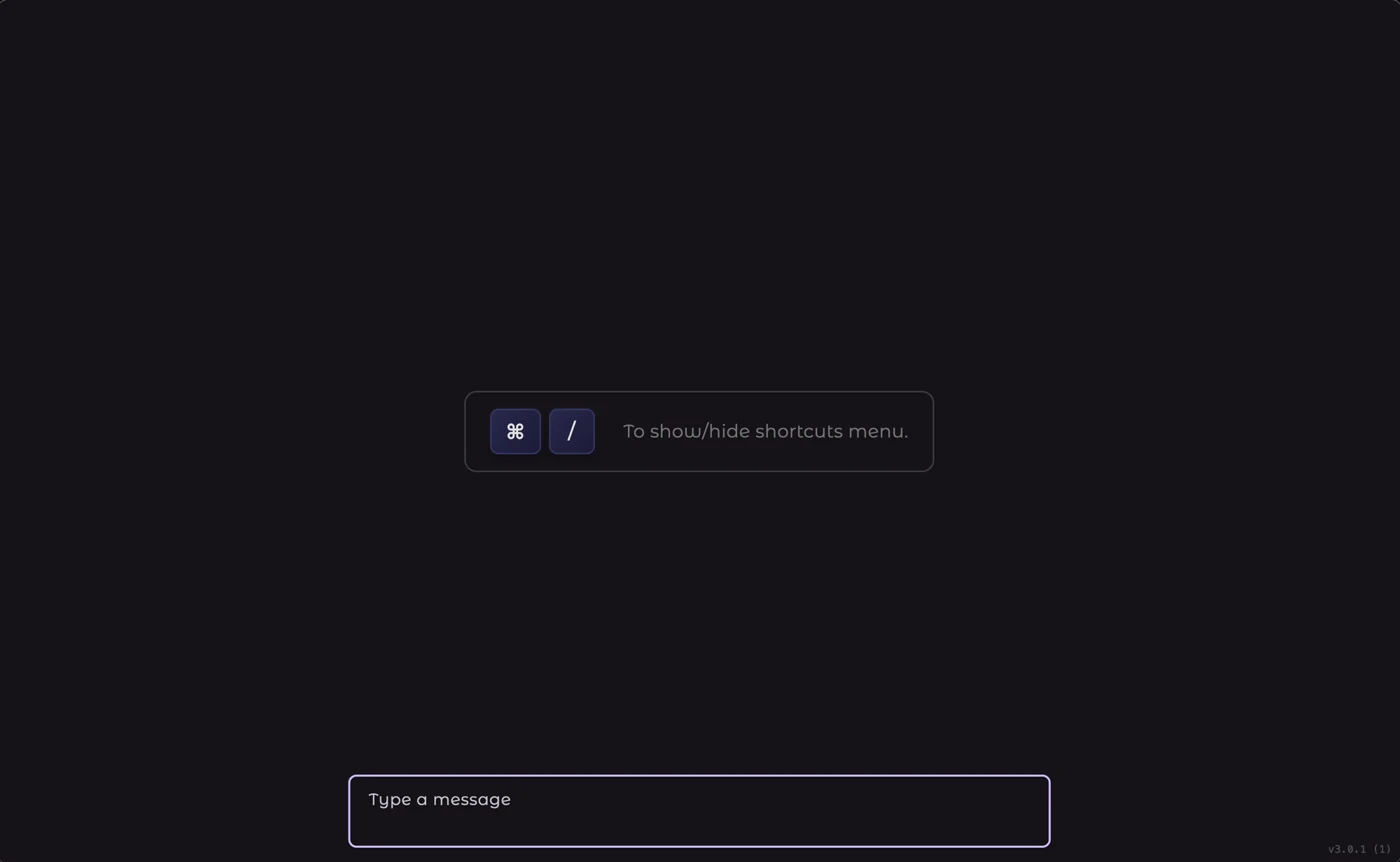
Capture ideas in rich markdown with tags and folders. Instant fuzzy search finds anything as you type — no matter which app you're in.
- Markdown with live preview
- Tags & instant search
- Global hotkey from anywhere
⇧⌘Space open notes
Type It lives in your menu bar and unites markdown notes, a universal clipboard history, and on-device AI that translates, corrects and rewrites any selected text — in any app. The intelligence runs on your Mac. Nothing is ever uploaded.
Type It replaces a stack of utilities with a single, fast, native app that follows you across every application on your Mac.
Capture ideas in rich markdown with tags and folders. Instant fuzzy search finds anything as you type — no matter which app you're in.
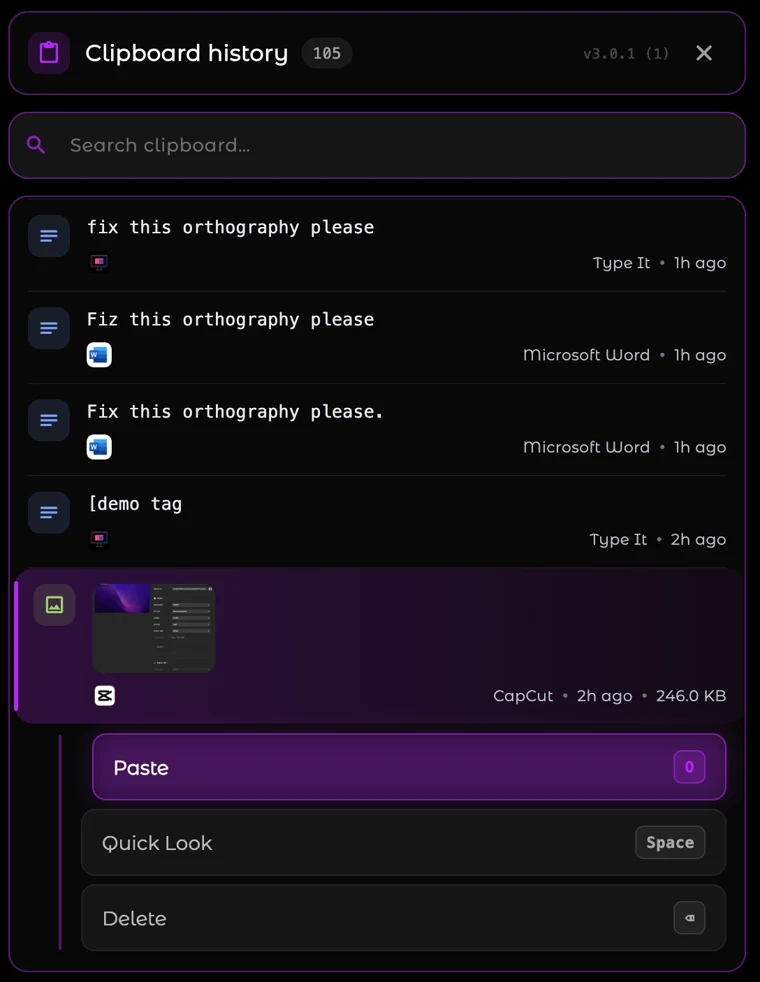
A universal, searchable timeline of everything you copy — text, code, images and files — with thumbnails and one-keystroke paste.
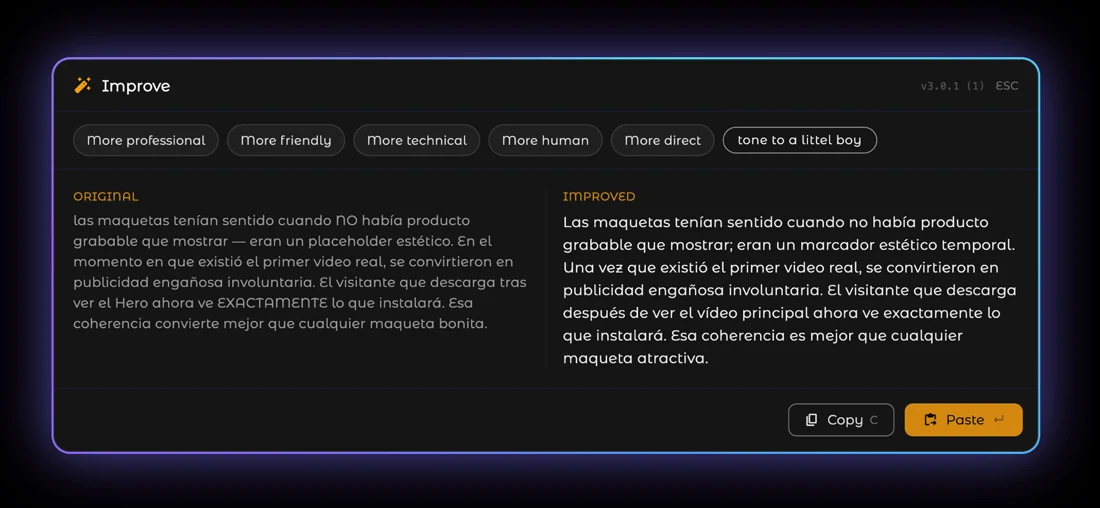
Select text in any app and let a local Gemma model translate, fix spelling, or rewrite it with the right tone — instantly, offline, private.
Your notes live one shortcut away, in every app. Skim them in a clean overview, hit Enter, and you're editing live markdown — tags, search and all.
Scroll back through your entire clipboard history with rich previews for images and files. Search it, pin what matters, and paste in a single keystroke — across every app.
Select any text and let the local Gemma model correct spelling and grammar in place. It never touches the network — the fix streams straight back into your app.
Most "AI" apps ship your words to a server, bill you monthly, and ask you to trust a privacy policy. Type It does the opposite: a compact Gemma model runs entirely on-device. Your notes, your clipboard, and every word you translate or rewrite stay on your machine — always.
Inference happens locally on Apple silicon or Intel. There's no API call, no server, no queue.
On a plane, on a train, or air-gapped — translation and rewriting keep working with no connection.
Nothing to sign up for. No email, no tracking of what you write. The app just works.
Notes and clipboard history are stored locally. Export or back them up whenever you want.
Subscribe monthly (billed annually) or pay once for lifetime access — no hidden fees either way.
The essentials, forever.
No account · no credit card
The full private-AI toolkit.
Billed as $60/yr
Up to 3 Macs · cancel anytime
14-day free trial · 30-day money-back guarantee
Try every Pro feature free for 14 days — no credit card required. Not for you? Get a full refund within 30 days, no questions asked.
Still curious? Everything runs locally, so most answers come down to: it's private, and it's yours.
Download free trialYes. Every Pro feature is unlocked for 14 days — no credit card, no account. When the trial ends you keep using the Free plan for as long as you like, or upgrade to Pro — subscription or lifetime.
Absolutely. Pro comes with a 30-day money-back guarantee, on either plan. If it isn't for you, request a refund within 30 days and we'll return your money, no questions asked.
Read the full refund policyBoth unlock the same features on up to 3 Macs. The annual subscription is $5/mo (billed as $60/yr) and includes every future update while it's active — cancel anytime. Lifetime is a single $99 payment: no recurring bill, ever, covering the current major version and its minor updates. If you're not sure yet, start with the 14-day trial — no credit card needed either way.
Type It is a native macOS menu bar app that runs on Apple silicon (M1 and newer) and modern Intel Macs. The on-device AI model downloads once and then works entirely offline.
Yes. Notes and clipboard history are stored locally on your disk. AI translation, spelling correction and rewriting all run on-device with a local Gemma model — no cloud, no API calls, no telemetry. Nothing you type is ever uploaded.
Select text in any app and press a shortcut: translate it instantly (⌃⌥⌘T), fix spelling (⌃⌥⌘O), or rewrite it with a chosen tone (⌃⌥⌘E). The result appears in place, generated entirely on your machine.
Download Type It, try every Pro feature free for 14 days, and keep the AI where it belongs: on your Mac.